Field Staff - Mobile and Offline Capable Platform
RM inForms — Built with Frontline Teams
The RM inForms application runs on both Android and iOS, designed hand-in-hand with frontline teams. It ensures workers receive the right resources to complete their workflows, while also capturing the key information they return — demonstrating professionalism and accountability in task execution.
Capturing Variations
Structured Workflows — Handling Challenges
Structured workflows immediately flag when there is a challenge in executing an activity in line with requirements. This ensures teams can respond quickly and apply safe, compliant alternatives.
Strengthening Control Implementation
Reinforcement of Control Implementation
Field and leadership reinforcement of the requirement to implement controls is achieved through:
- Reminders for field crews on the control expectations
- Records (and photographs) by field crews of controls implemented as tasks are performed
- Field inspections by supervisors and leaders with prompts to confirm controls in place
Digital Record of Risk Conversations
Capturing Conversations & Considerations
Conversations and considerations are captured directly in text fields within relevant forms completed by field teams and leadership during in-field inspections. This ensures that risk decisions and justifications are recorded consistently for accountability and future review.
The second video shows how RM clients have used the platform in a different setting. A pre-start briefing form was developed and the shift supervisor would work with the crew at start-of-shift to discuss all of the expected hazards, required responses, and activities occurring during the shift. Workers either sign on directly to the form or the supervisor takes a photograph of a sign-on sheet to create the digital record of presence in the briefing.
Usability under field conditions
Digital Workflows with Ruggedised Devices
Ruggedised or protected mobile devices replace paper-based activity recording, providing frontline teams, supervisors, and leaders with a reliable digital solution. This ensures that up-to-date information is always available, supporting better decision making in the field.
Capturing risks and variations
Recording Task Execution & Managing Variations
In-field team members can record their execution of tasks and identify conditions that require attention. Changes in equipment state, skilled personnel availability, or shifts in the work environment are logged, with guidance provided on the best responses to different levels of variation. Risk consideration workflows support structured decision-making — for example, describing an unwanted situation and referencing a TARP (Trigger Action Response Plan) review process.
Synching Information to and from the mobile devices
Offline Operation & Sync Process
The default configuration is designed for offline operation. Data is stored safely in-field and exchanged automatically when devices connect at Wi-Fi–enabled offices or workshops. This approach avoids corruption of data caused by patchy mobile coverage, ensuring reliability for teams working in remote or dynamic environments.
Integration with Business Systems and Ease of Use
Integration with Business Systems
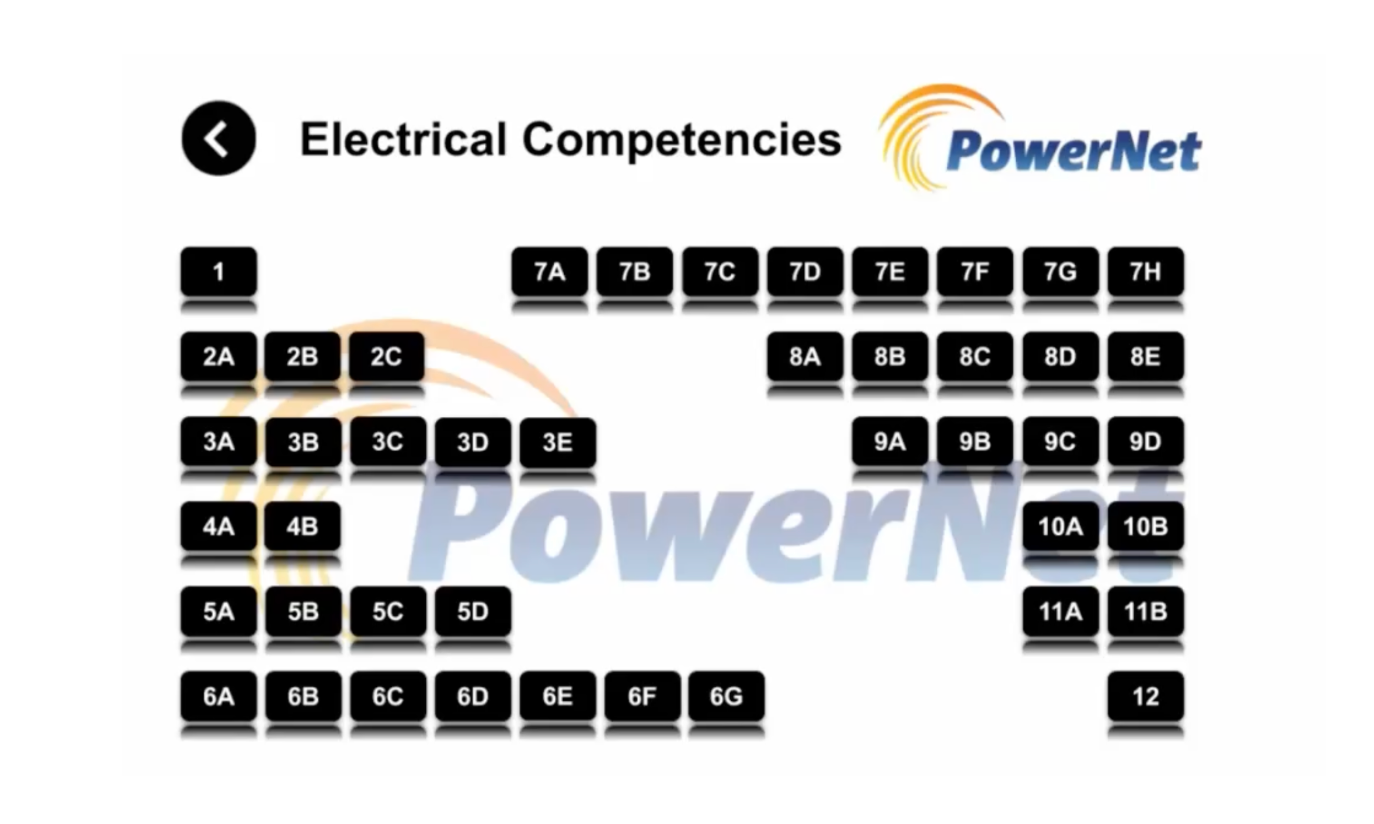
Risk Mentor integrates seamlessly with existing business systems to reduce duplication and make data easier to use in the field. Information is updated directly from trusted sources, ensuring frontline teams always have the latest job lists, competencies, and equipment records at their fingertips.
- Daily or scheduled updates from HR, maintenance, and financial systems
- APIs and secure bridges connect master databases with RM workflows
- Field teams see contextualised information where and when they need it
Functionality on mobile devices
User-Centred Workflow Templates
Workflow templates are designed with in-field users to ensure usability and relevance. Depending on the application, the questions, responses, and overall look-and-feel are adapted to match the task and context. The native application, available on both Android and iOS, as well as an online form tool, is compliant with platform requirements — ensuring smooth operation on whatever device is being used.
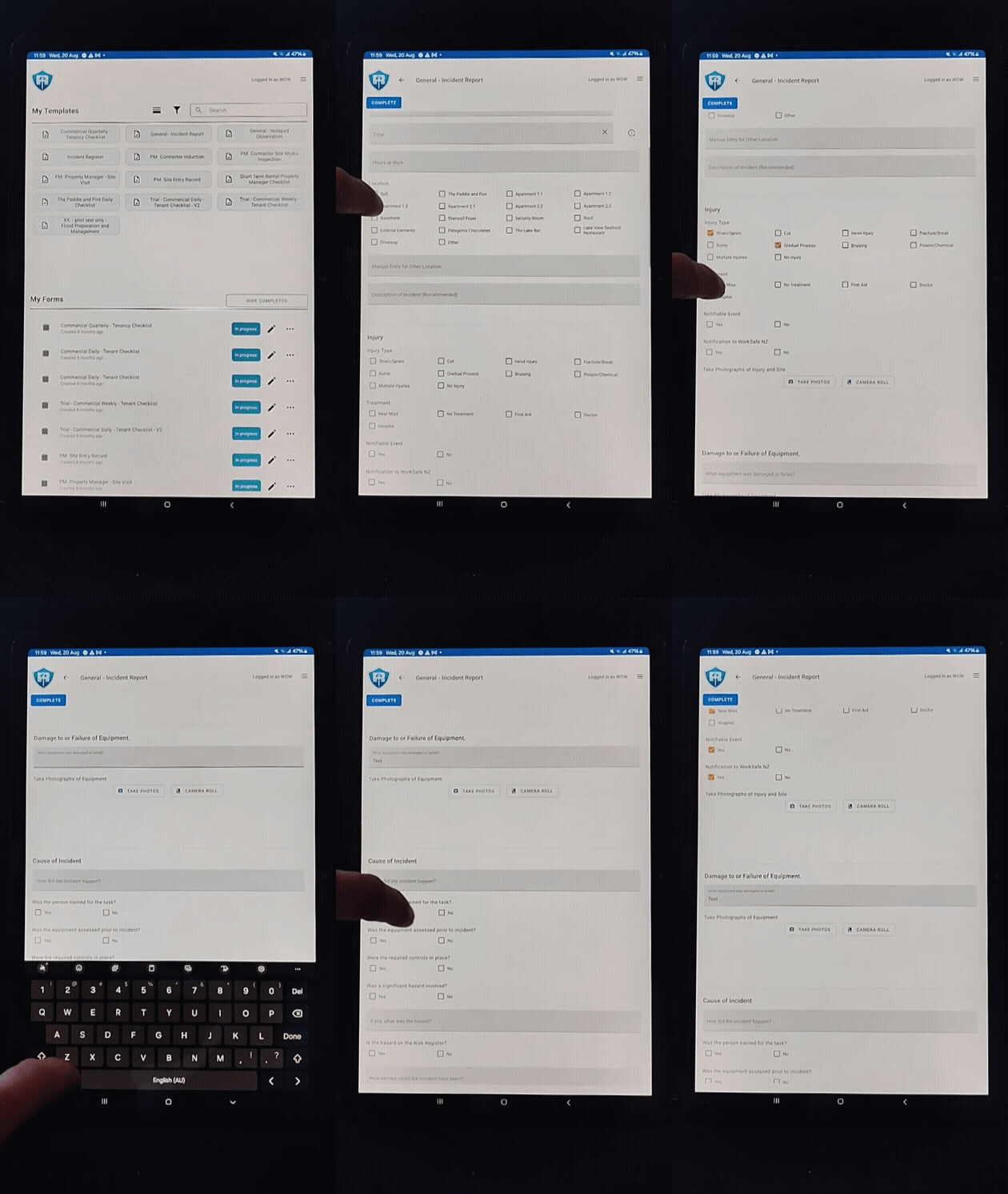
Offline capabilities and auto-sync feature
Offline Functionality
The Risk Mentor platform is built for offline operation, ensuring teams can work without interruption in remote or low-connectivity environments. Data is stored locally on the device and synchronises automatically when a stable Wi-Fi or network connection becomes available. This guarantees that no records are lost and frontline staff can continue working productively, regardless of coverage conditions.
Downloaded information as a decision making aid
Flexible In-Field Information
The types of information downloaded to the app are completely flexible and tailored to the requirements of in-field users, helping them make better real-time decisions.
- Traffic management plans for relevant work areas
- Competency records for frontline workers
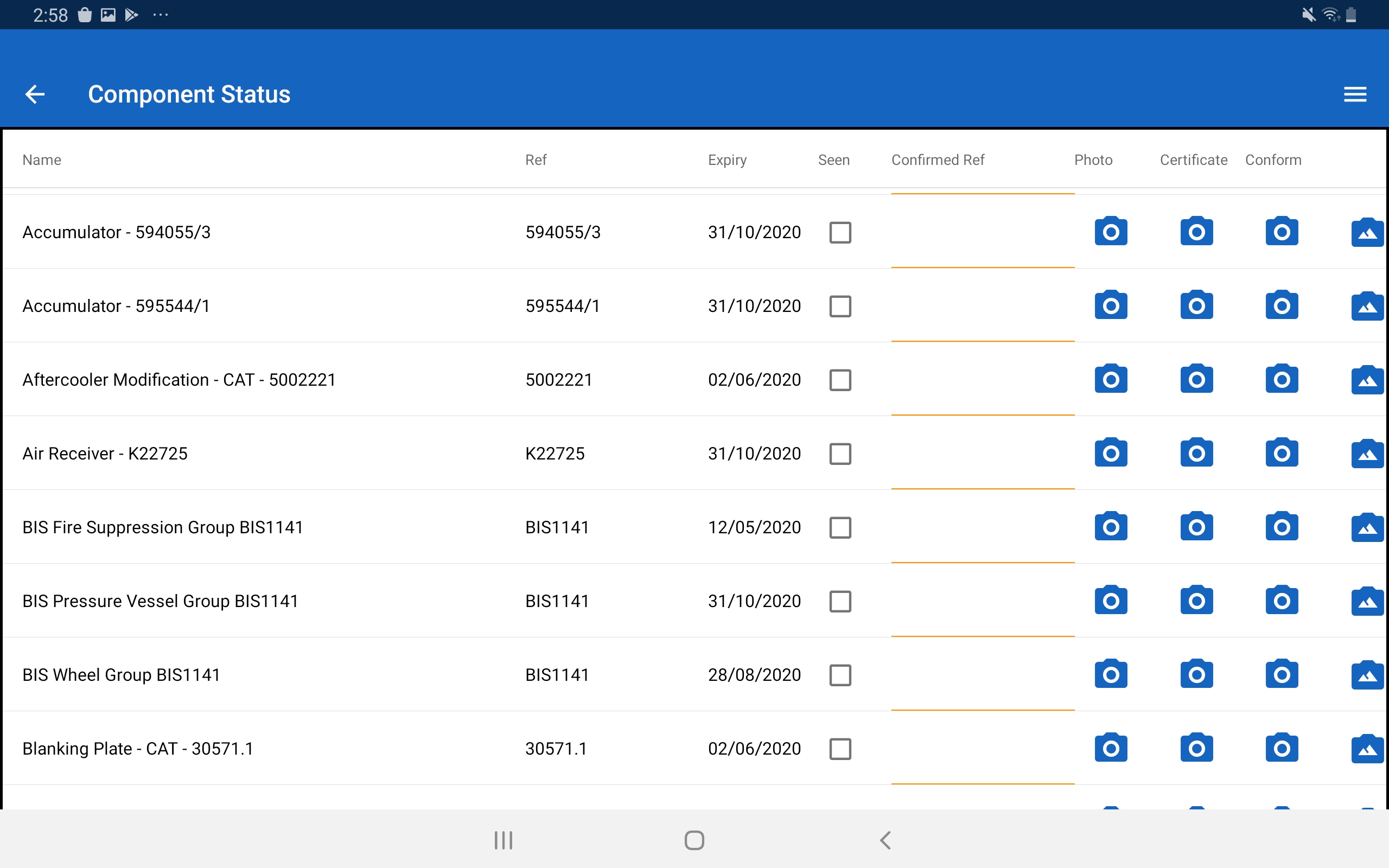
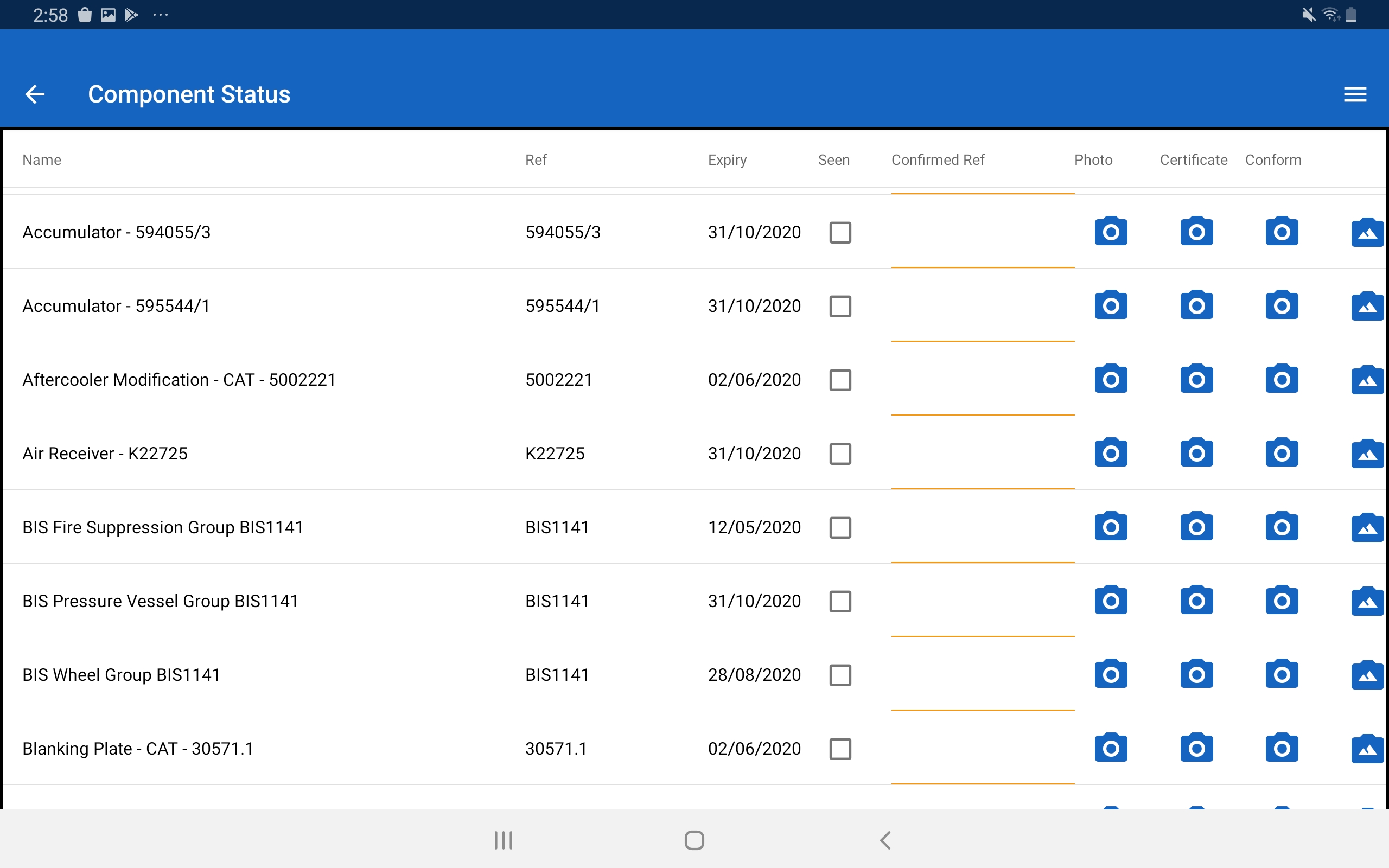
- Compliance dates for equipment (e.g. roadworthiness certificates)
- Approved contractor information
- Procedures and key references (e.g. TARPs)
Screenshot to come
Prompts for changes to expected site conditions
Key Questions in Workflows
Key questions are included in workflows to prompt in-field workers to rethink their decisions. Prompts around prevailing weather conditions, road conditions, equipment status, and the presence of public or third parties in proximity are all included to help workers make the best decision about how to progress their tasks. In some cases — where conditions are unfavourable — the best decision is to defer to senior team members, who may provide additional resources or endorse rescheduling until conditions improve.
The second video shows how the App can be used to access source material from the database. In this case - the video shows a user accessing a Trigger Action Response Plan (TARP) for weather conditions. The TARP provides guidance on expected responses by field-workers based on the prevailing conditions.
Options to pause, update, or reapprove a workflow
Approval Gates in Workflows
Workflows embed all the requirements of Job Safety and Environment Analyses (JSEAs) and Site-Specific Safety Plans (SSSP). They include structured trigger point questions that, if they cannot be confirmed, prompt workers to seek formal approval before proceeding with the task. When a workflow reaches an approval gate, guidance is provided on the next steps. If the requirements cannot be met, the workflow triggers a reapproval process, typically involving supervisor or manager sign-off before work can continue.
Flagging of new hazards, allowance for environment changes, changes to crews
Key Checks in Workflows
Particularly when a workflow is being used to guide a work team, there are some key checks required. The responses to these checks help frontline team members determine the appropriate next steps. These checks may include direct links to Trigger Action Response Plans (TARPs), ensuring decisions are informed and aligned with safety expectations.
Beyond the application of text information in available form fields - an option is available to enable an actions module on the app. With this enabled, in-field users can create and close out actions - providing commentary and photographic records of the actions taken. The video shows an action being raised and closed out.
Live Dashboards
Dashboards & Drill-Down Insights
Dashboards provide real-time visibility across the portal and the connected Metabase platform. They allow users to drill down into detail on a wide range of items, ensuring leadership and field teams have the insights they need to act decisively.
Review and sign-off of variations
Supervisor Sign-Off & Permit Integration
Workflows include dedicated sections for supervisor sign-off, ensuring critical tasks and permits are formally approved before work proceeds. This provides accountability, traceability, and compliance at every stage of operations.
Review of identified hazards - risk registers
Hazard Controls & Strategic Risk Tools
Hazards in most work environments are generally known. The workflows guide teams in confirming the adequacy of controls in place for those hazards, ensuring they remain effective and relevant. Beyond day-to-day hazard checks, Risk Mentor supports the use of Credible Failure Modes (CFMs) as a strategic tool — offering a more practical and structured approach than continually expanding risk registers. The companion video shows an implementation of identifying hazards during a workflow completion - and then allocating appropriate controls to prevent harm.
Audit Trail
Access to Multiple Sets of Information
Risk Mentor provides access to multiple sets of information, ensuring that users can view dashboards, monitor records, and generate device logs directly within the app. This functionality supports traceability, accountability, and insight into field activities.
Integration with Existing Systems
Training Record Updates
Updates to training records are readily achieved, with changes reflected directly within the app. This ensures that frontline teams always have access to the most current competency information.
Exporting Records
Data Export & Reporting
Risk Mentor supports data export and reporting across platforms. Teams can generate CSV, XLSX, JSON, PNG exports from Metabase, output management plans directly from source information, and produce audit logs for compliance and oversight.
Analytics for Leading Indicators
Activity Records & Leadership Oversight
The platform enables the generation of records of activity, inspections, and leadership interventions. Reports can be configured to deliver value-adding insights that support leadership decision-making, ensuring flexibility while maintaining compliance.
Change Management
Workflow Triggers & Change Management
Workflows include triggers for identifying changes in conditions or requirements. These may introduce stop-points that require a decision before work continues, ensuring safety and compliance. Customisation options allow integration with a dedicated Change Management form or direct connection with external systems, providing flexibility in how changes are managed.
Training - User Guide
Online and static resources available. Frontline build of workflows reduces training and complexity requirements for learning how to use the RM platform.
Role Based Access controls
Role-Based Permissions
The database is structured so that roles define the point of control for create, read, modify, and delete (CRUD) permissions. This ensures that different logged-in users can only access workflows and data relevant to their responsibilities, strengthening both security and operational clarity.
Additional Features
End-to-End Risk Management Lifecycle
Risk Mentor combines all key elements of effective governance into a single system: establishing baselines, guiding safe work through structured workflows, capturing records of activity, and enabling auditing & drift detection. This integrated approach ensures traceability and continuous improvement across the entire safety and compliance lifecycle. Coming soon - video which demonstrates how clauses of relevant statute and standards are connected with workflows in the system.